Skip to content

  • Home
  • 3Ds
    • Design
    • Development
    • Delivery
  • Moodle Resource Hub
  • What’s New?
    • TLIS Updates
    • Spotlight on T&L (Articles)
  • Support Resources
    • Tech Tools at TLIS
      • Moodle LMS
      • Course Evaluations
      • Mediasite
      • Respondus Lockdown Browser
      • ScreenPal
      • Unicheck
      • Zoom Videoconferencing
    • Resource Listing
    • Tutorials
    • Training Courses
    • TLIS-TV
  • Workshop Schedule
  • Contact TLIS
Knowledge-Base
Knowledge-Base

  • Home
  • 3Ds
    • Design
    • Development
    • Delivery
  • Moodle Resource Hub
  • What’s New?
    • TLIS Updates
    • Spotlight on T&L (Articles)
  • Support Resources
    • Tech Tools at TLIS
      • Moodle LMS
      • Course Evaluations
      • Mediasite
      • Respondus Lockdown Browser
      • ScreenPal
      • Unicheck
      • Zoom Videoconferencing
    • Resource Listing
    • Tutorials
    • Training Courses
    • TLIS-TV
  • Workshop Schedule
  • Contact TLIS

How can we help you?

Moodle

10
  • 001 – How do I access UTT Moodle?
  • 002 – Which Moodle Site Should I Use: Academic or Professional Development?
  • 003 – How Do I Use the Moodle Workplace Mobile App?
  • 004 – How Do I Find My Courses?
  • 005 – Why Is My Course Not Appearing?
  • 006 – How do I copy content from another Moodle course?
  • 007 – How do I add another lecturer or teaching assistant?
  • 008 –
  • 009 –
  • 010 –

Ticketing System

3
  • 001 – Ticket Creation via this Web Portal
  • 002 – Ticket Creation via Email
  • 003 – Checking Your Ticket’s Status

Moodle Video Tutorials

3
  • Tutorial Series | Moodle Quizzes
  • Webinar – Transition to Moodle Workplace
  • Supplemental Videos | Transitioning from Canvas to Moodle

Other Video Tutorials

4
  • Tutorial Series | Onboarding with CoPIL
  • Tutorial Series | Up & Running with TLIS’ Helpdesk
  • eWorkshop | eLearning Course Design Policy
  • Tutorial Series | Technology-Enhanced Classrooms @ UTT

Multimedia Video Tutorials

2
  • Tutorial Series | Up & Running with Mediasite
  • Tutorial Series | Up & Running with Zoom
  • Home
  • Knowledge Docs
  • Moodle Video Tutorials
  • Tutorial Series | Moodle Quizzes
View Categories

Tutorial Series | Moodle Quizzes

There are many forms of assessments that can be utilized to assess students’ learning outcomes. One of the most ubiquitous methods of assessment is multiple choice exams. This tutorial series illustrates how the LMS (Moodle) can be used to create a variety of quizzes: multiple choice, fill-in-the-blanks, true-and-false, matching and many other quiz types. Feel free to engage with any of the videos to learn more.
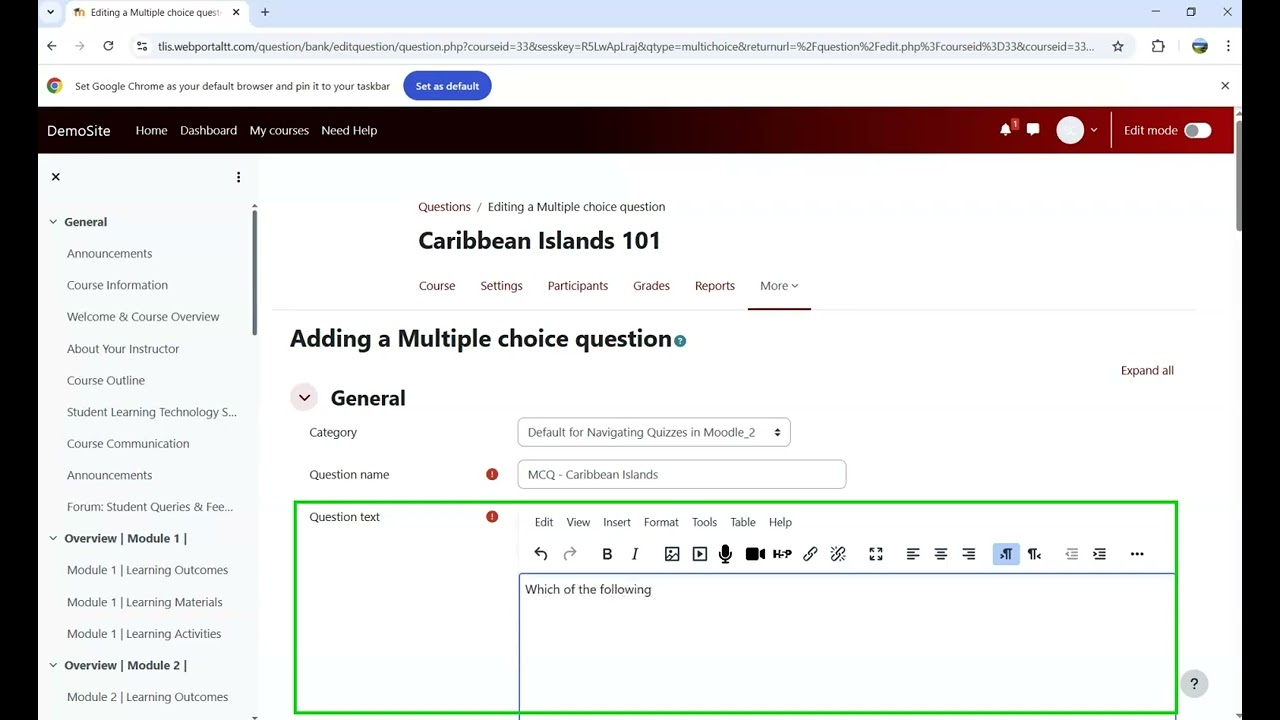
 

YouTube player
«
Prev
1
/
2
Next
»
loading
play
Moodle's Multiple Choice Question Type
play
Moodle's True or False Question Type
play
Moodle's Essay Question Type 1
play
Moodle's Short Answer Question Type
play
Moodle's Random Short Answer Question Type
play
Calculated Multi-choice Question Type Video Tutorial
play
Calculated Question Type Video Tutorial
play
Ordering Question Type Video Tutorial
play
Numerical Question Type Video Tutorial
play
Question Banks in Moodle
play
Using a Quiz as a Student
play
Printing a Quiz in Moodle
play
Copying Quizzes Across Courses
play
Quiz Reports in Moodle
play
Calculated Simple Question Type Video Tutorial
play
Drag and Drop into Text – Moodle Quiz Tutorial
«
Prev
1
/
2
Next
»
loading


What are your Feelings

Share This Article :

  • Facebook
  • X
  • LinkedIn
  • Pinterest
Still stuck? How can we help?

How can we help?

Updated on July 16, 2026
Supplemental Videos | Transitioning from Canvas to MoodleWebinar – Transition to Moodle Workplace

Powered by BetterDocs

About

  • Tamana Campus, Tamana In-Tech Park, University Boulevard, Wallerfield, ARIMA-301776
  • Tel: 1 (868) 642-8888 or 1 (868) 223-4888 ext. 21125
  • Fax: 1 (868) 643-1617 or 1 (868) 643-5615
  • Email: support.tlis@utt.edu.tt

Useful Links

  • TLIS’s Home Page on UTT Website
  • UTT’s Homepage on UTT Website
  • UTT’s Faculty Email
  • My Campus Login Page

Copyright © 2026 IDT Faculty Support Hub